v1.3.0
Holiaokho
好料庫hó-liāu-khòo

“the good-stuff store”

「the good-stuff store」

A self-hosted artifact repository for 25 package formats — one address, one binary, no paid tier.

自架的套件倉庫,25 種格式、一個位址、一個執行檔,沒有付費版。

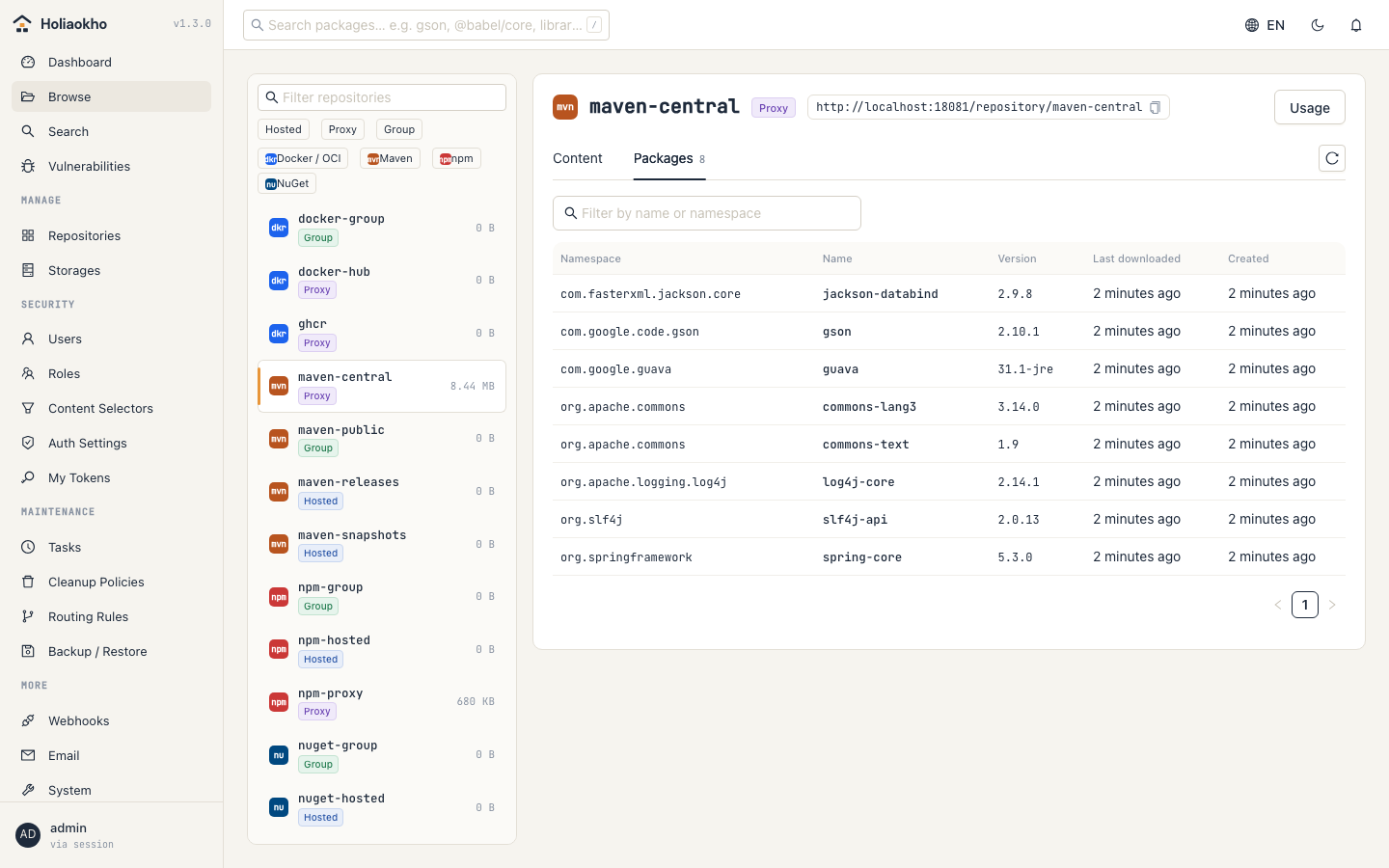
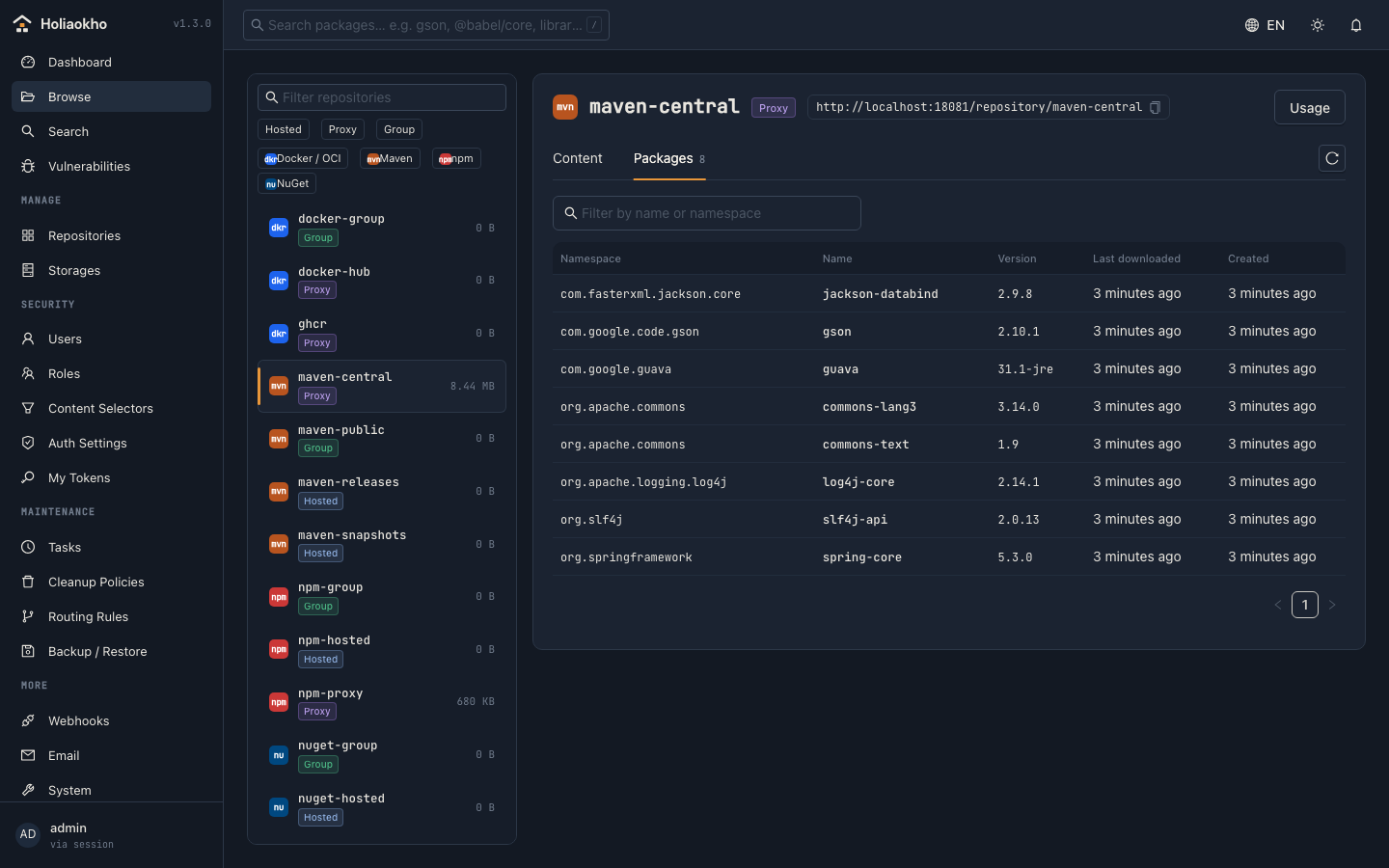
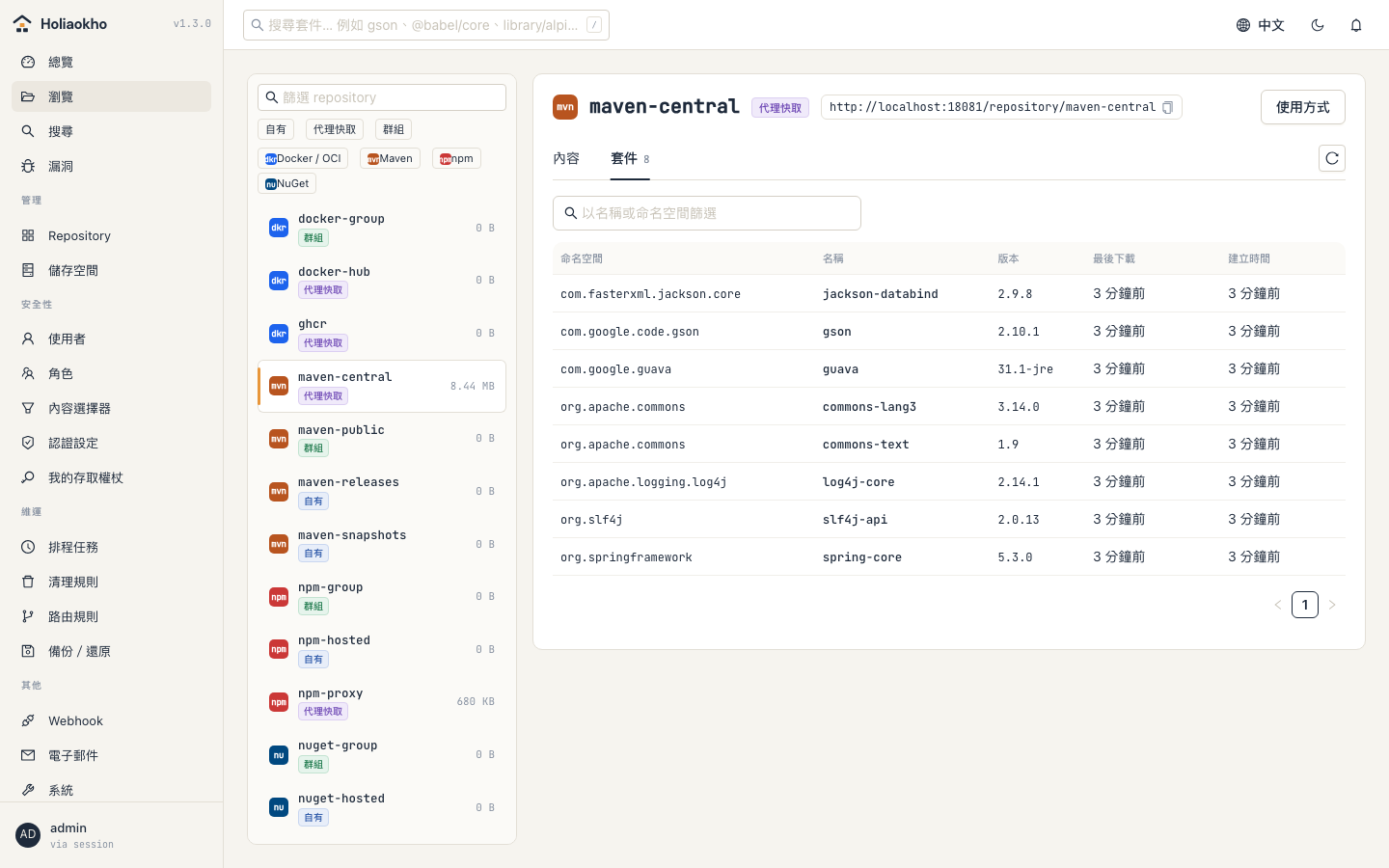
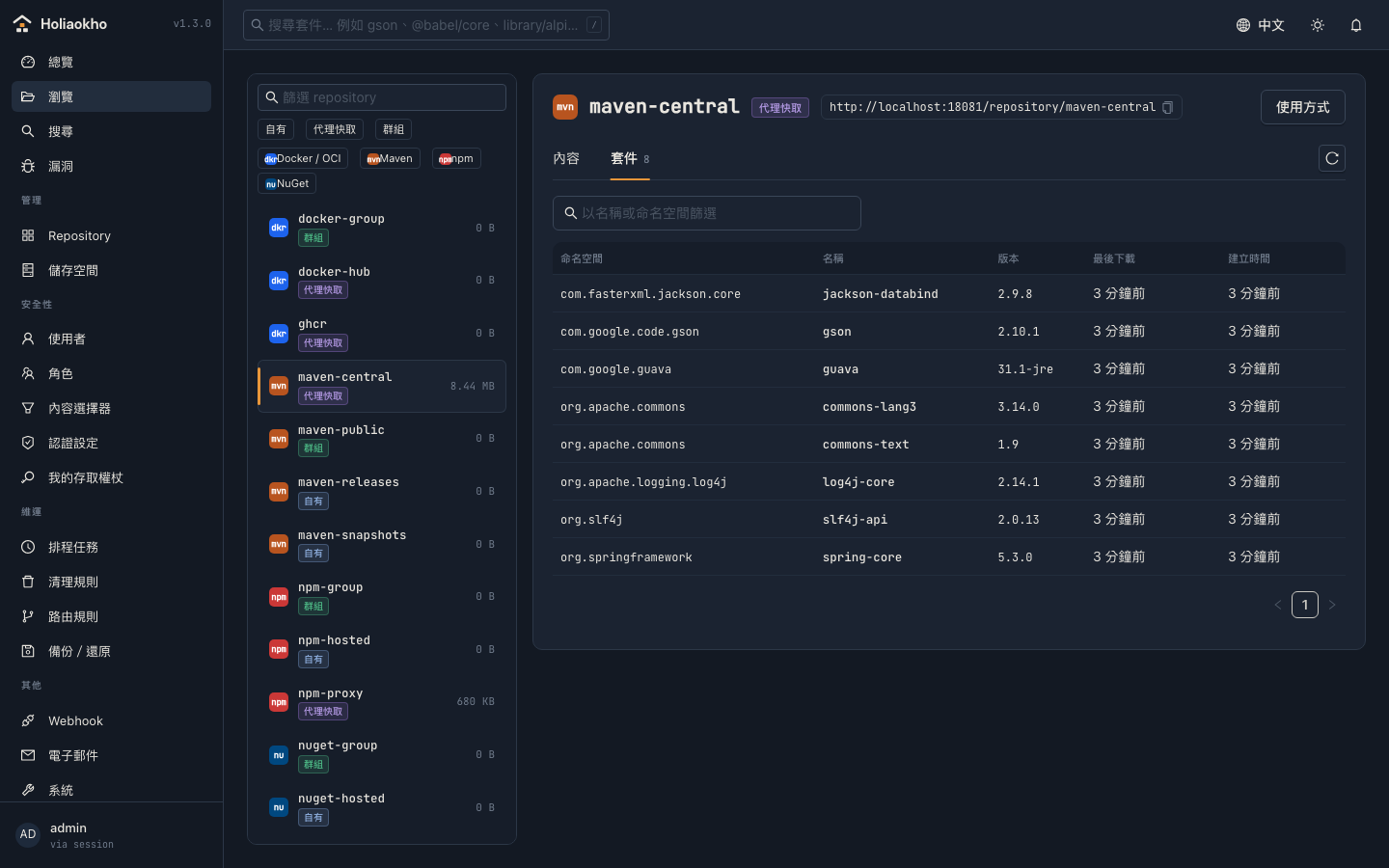
Browsing the packages cached in a Maven proxy Browsing the packages cached in a Maven proxy 瀏覽 Maven 代理中已快取的套件 瀏覽 Maven 代理中已快取的套件

Why switch

為什麼換

Switching does not hurt

搬過來不會痛

Repository paths, Docker port connectors and the credential model follow Nexus conventions. A production cut-over ran on the same host and the same ports without changing one line of CI configuration.

repository 路徑、Docker 連接埠、帳號模型都沿用 Nexus 的慣例。實際做過一次正式環境切換:同一台主機、同樣的連接埠,CI 設定一行都沒改。
It is small

它很小

A single Go binary. No JVM, no plugins, no application server. It starts serving in seconds and runs in a few hundred megabytes under real CI load.

單一 Go 執行檔,不需要 JVM、外掛或應用伺服器。幾秒內開始服務,在真實 CI 負載下記憶體用量維持在數百 MB。

Security comes with it

資安是內建的

Vulnerability scanning, signatures and SBOMs are part of the product — not an add-on server with a licence of its own.

漏洞掃描、簽章與 SBOM 都是產品本身的一部分,不是另外要授權的附加伺服器。

Nothing held back for a paid tier

沒有功能被留在付費版

There is no paid tier. Apache 2.0, every feature, no component limits, no request quotas.

因為沒有付費版。Apache 2.0,所有功能,不限元件數,不限請求數。

It knows what it is keeping

它知道自己存了什麼

Every dependency your builds use passes through here, which makes it the one place that can tell you which of them are a problem — and prove where an image came from.

建置用到的每一個依賴都會經過這裡,所以只有它能一次告訴你哪些有問題,也能證明一個 image 從哪裡來。

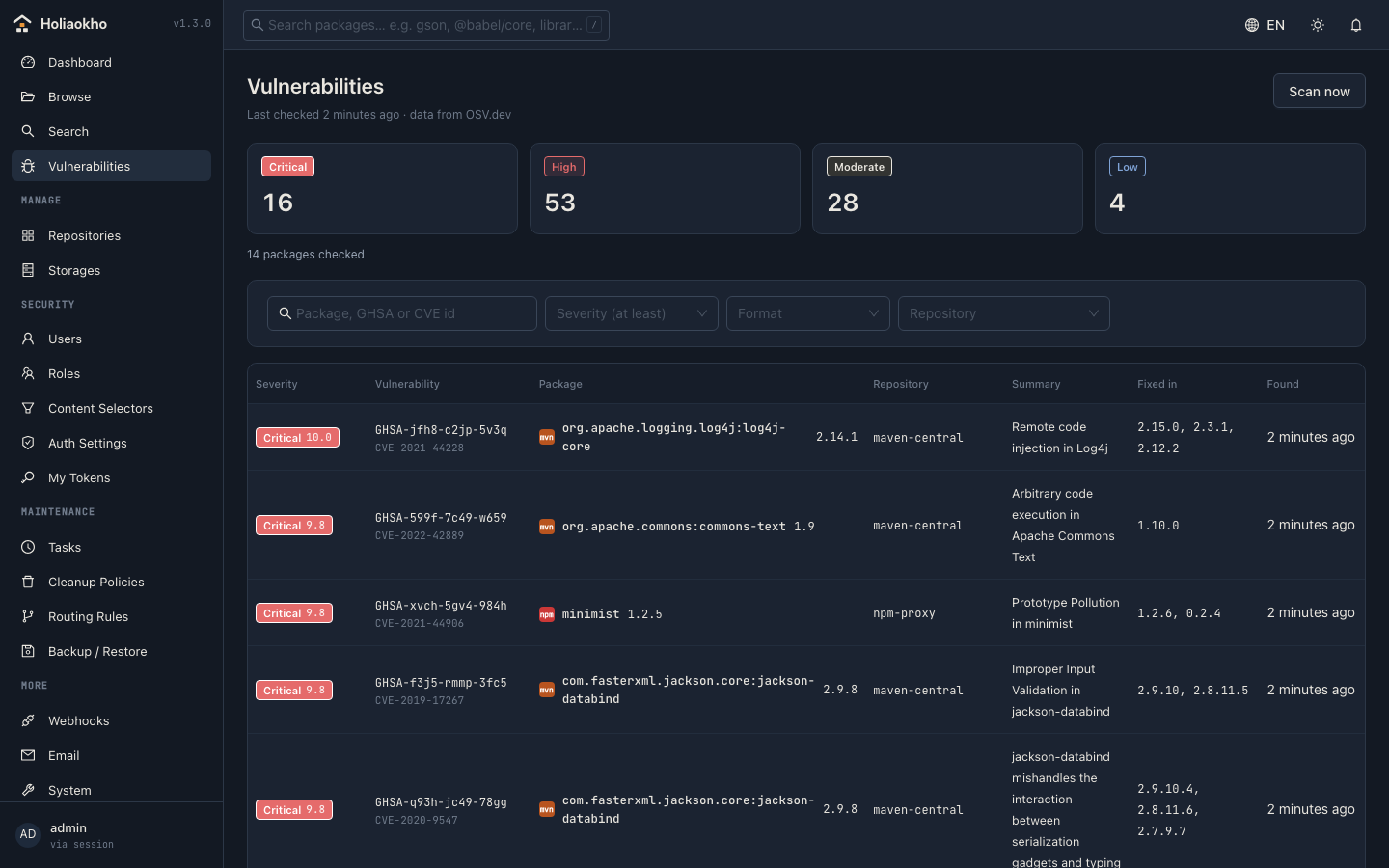
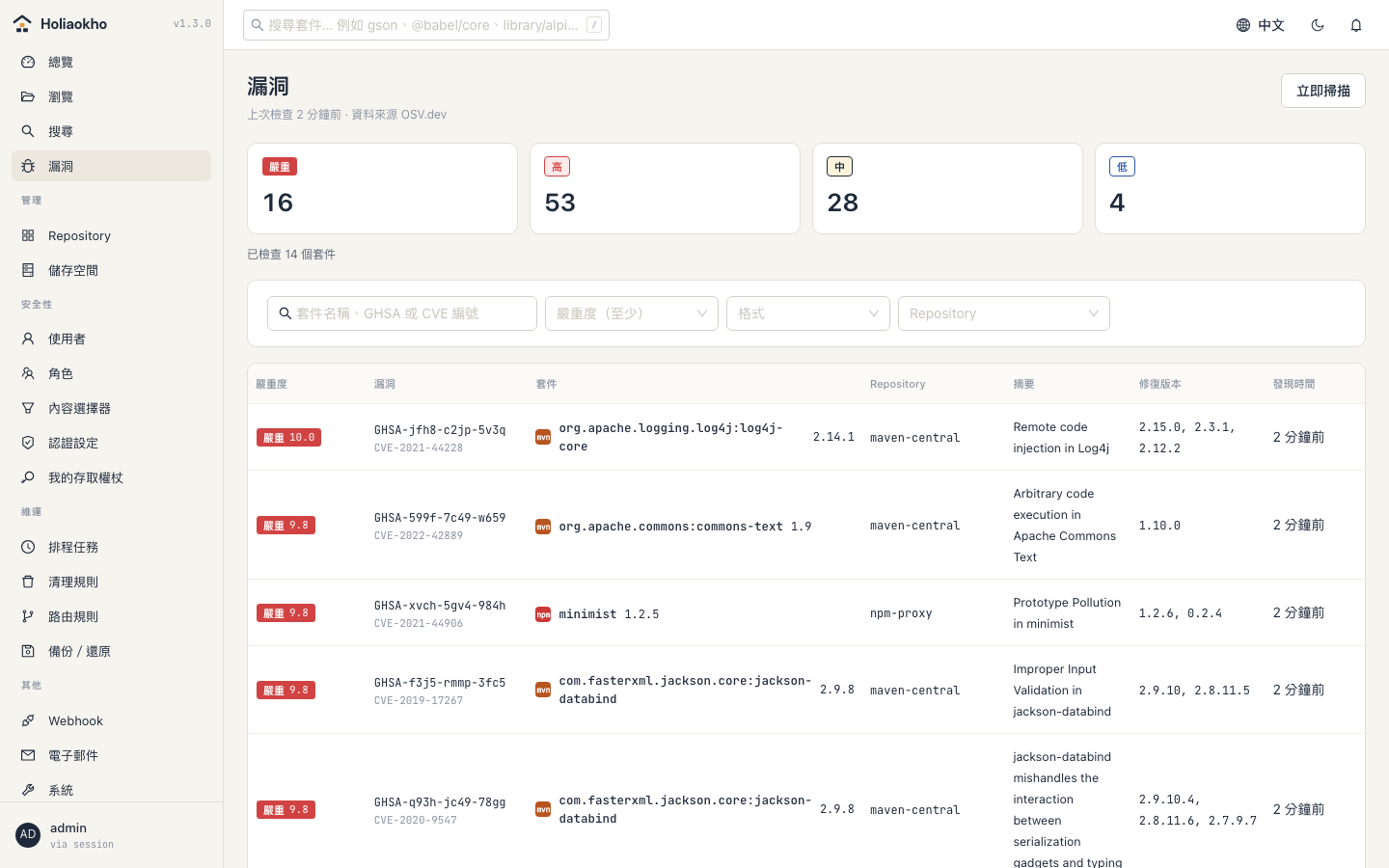
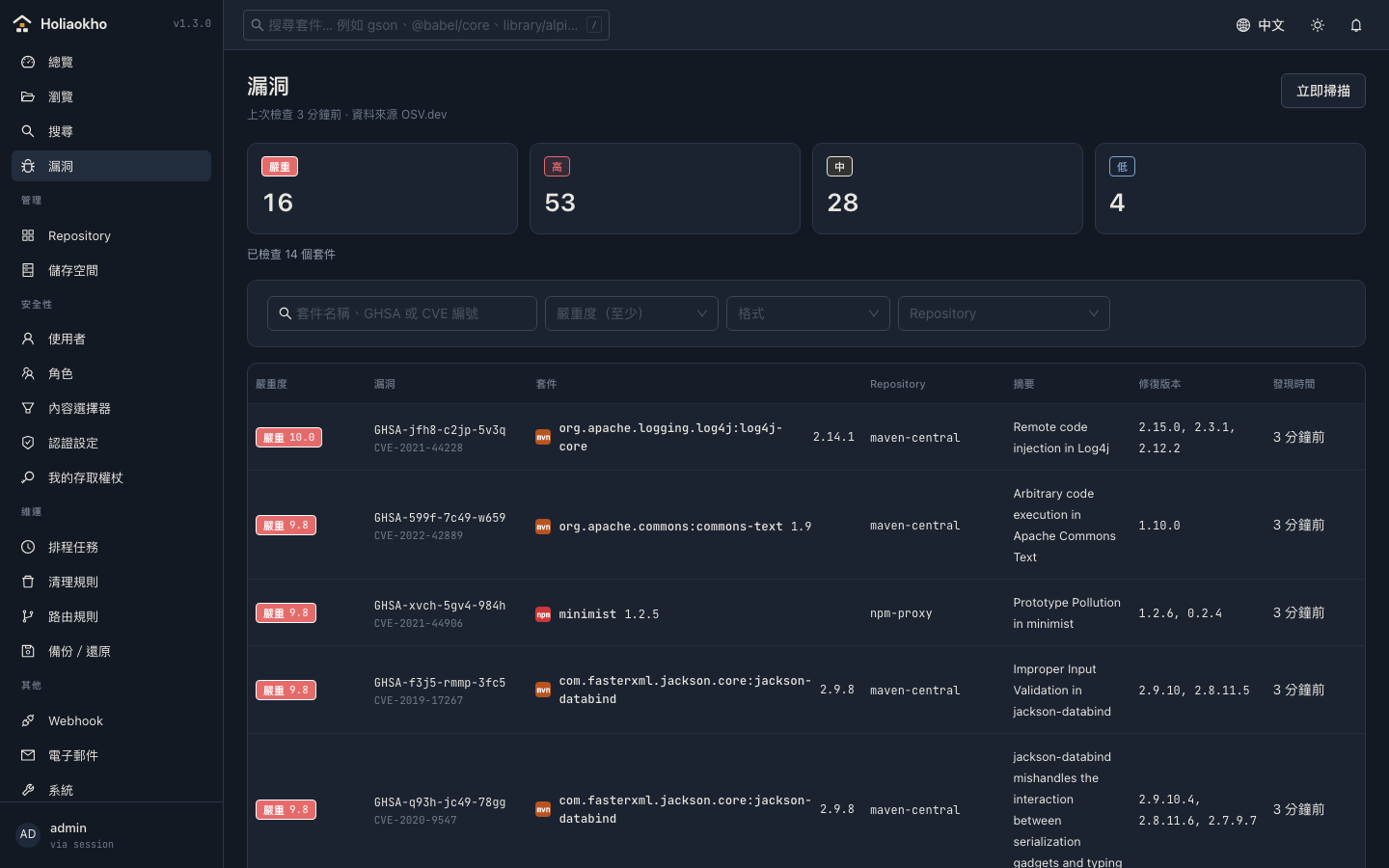
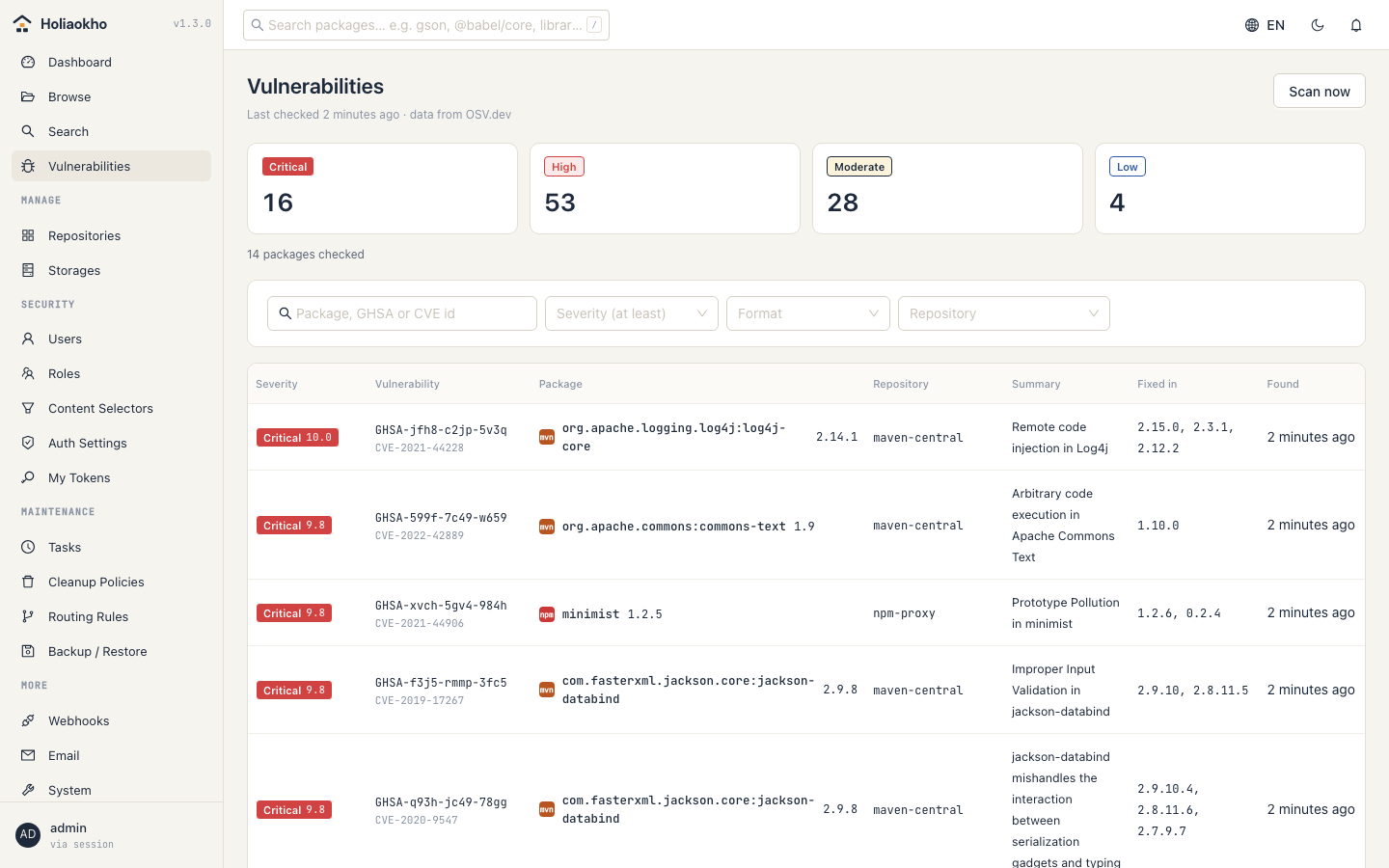
Known vulnerabilities in stored packages, worst first Known vulnerabilities in stored packages, worst first 已存放套件中的已知漏洞,依嚴重度排序 已存放套件中的已知漏洞,依嚴重度排序

Vulnerability scanning

漏洞掃描

Stored packages are checked against OSV — Maven, npm, PyPI, Go, NuGet, RubyGems, Cargo, Composer, pub and CRAN. One row per real vulnerability, with the version that fixes it. New critical findings are flagged on the dashboard and sent once by email and webhook, and everything exports as a report — PDF or Excel to read, CSV or JSON for AI agents. Formats OSV does not cover are shown as not covered, never as clean. Packages known to be malicious are refused at download, before a build can run them.

以 OSV 檢查已存放的套件:Maven、npm、PyPI、Go、NuGet、RubyGems、Cargo、Composer、pub、CRAN。同一個漏洞只算一筆,並列出修復版本。新發現的嚴重漏洞會在首頁提示,並以 email 和 webhook 通知一次;結果可以匯出成報告,PDF、Excel 給人看,CSV、JSON 給 AI agent。OSV 不支援的格式標為「未涵蓋」,絕不顯示為「安全」。已知的惡意套件在下載時就會被拒絕,建置根本拿不到。

Signatures and SBOMs

簽章與 SBOM

Docker and OCI repositories keep what cosign and syft attach to an image — signatures, SBOMs, build attestations — through the OCI referrers API, and list them in the package details.

Docker 與 OCI repository 會透過 OCI referrers API 保存 cosign、syft 掛在 image 上的簽章、SBOM 與建置證明,並在套件詳情中列出。

Checked on every push

每次推送都經過檢查

Gitleaks over the whole history, Trivy over dependencies, configuration and the image, govulncheck and staticcheck over the code — on every push and weekly, in public. The container runs as non-root on a read-only filesystem with every capability dropped.

Gitleaks 掃完整歷史,Trivy 掃依賴、設定與 image,govulncheck 與 staticcheck 掃程式碼——每次推送和每週都會執行,結果公開。容器以非 root 身分、在唯讀檔案系統上執行,並移除所有 capability。

When the upstream misbehaves

上游出狀況的時候

Public registries go down, slow to a crawl, and answer badly. A proxy earns its place on the days they do.

公開的套件來源會掛、會慢到爬不動、也會回奇怪的答案。代理的價值,就在這些日子裡。

Down

掛了

Whatever has been fetched once keeps being served from cache, so a bad afternoon at Maven Central does not stop the builds. A dropped connection or a 503 is retried before anyone sees an error.

抓過一次的內容會繼續從快取提供,Maven Central 出狀況的那個下午,建置不會停。連線中斷或 503 會先自動重試,不會直接變成錯誤。

Slow

很慢

A large layer goes to the client as it arrives, not minutes later. A stalled transfer resumes where it stopped, and everyone pulling the same layer shares one download.

大型 layer 邊收邊轉給 client,不必等好幾分鐘。卡住的傳輸會從斷點續傳,同時拉同一個 layer 的人共用同一個下載。

Wrong

答錯

A registry refusing a mistyped image name is an answer, not an outage — it does not take the whole registry offline for everyone else.

registry 拒絕一個打錯的 image 名稱,是一個答案而不是故障——不會因此讓整個 registry 對所有人停擺。

Up and running in a minute

一分鐘跑起來

curl -fsSLO https://raw.githubusercontent.com/AndyShiu/holiaokho/main/deploy/docker-compose.yml
docker compose up -d

It pulls the published image and a PostgreSQL to go with it; nothing is built. Then open http://localhost:8081/ui/ and point your clients at it exactly as you would at Nexus:

它會拉官方 image 和搭配的 PostgreSQL,不需要編譯。然後開啟 http://localhost:8081/ui/,客戶端的設定方式和 Nexus 完全一樣:

kubectl create namespace holiaokho
kubectl -n holiaokho create secret generic holiaokho-db \
  --from-literal=POSTGRES_DB=holiaokho --from-literal=POSTGRES_USER=holiaokho \
  --from-literal=POSTGRES_PASSWORD="$(openssl rand -base64 24 | tr -d '/+=')"
kubectl -n holiaokho create secret generic holiaokho-app \
  --from-literal=secret-key="$(openssl rand -base64 32)" \
  --from-literal=admin-password='choose-one'
kubectl apply -f https://raw.githubusercontent.com/AndyShiu/holiaokho/main/deploy/k8s/holiaokho.yaml

Secrets are created on the command line, so they never sit in a file or in version control. The manifest runs both containers as non-root with a read-only root filesystem and no capabilities, and serves on NodePorts 32081 and 32082.

密碼在指令列建立,不會出現在任何檔案或版本控制裡。這份 manifest 讓兩個容器都以非 root、唯讀根目錄、不帶任何 capability 的方式執行,並在 NodePort 32081、32082 提供服務。

Mavensettings.xml
<mirror>
  <id>holiaokho</id>
  <url>http://localhost:8081/repository/maven-public/</url>
  <mirrorOf>*</mirrorOf>
</mirror>
npm.npmrc
npm config set registry http://localhost:8081/repository/npm-group/
Dockerdocker pull
docker pull localhost:8081/docker-hub/alpine:3.19

Configuration

設定

A working configuration is this short. Every key can be given as a HOLIAOKHO_* environment variable instead, which is usually what you want in a container.

一份能跑的設定就這麼短。每個設定都可以改用 HOLIAOKHO_* 環境變數給定,在容器裡通常會這樣做。

server:
  listen: ":8081"
database:
  url: "postgres://holiaokho:PASSWORD@localhost:5432/holiaokho?sslmode=disable"
storage:
  type: fs              # fs | s3
  path: ./data/blobs
auth:
  anonymous_enabled: true
  session_ttl: 30m
log:
  level: info

Full example with every option完整範例(含所有選項) ↗

25 formats

25 種格式

Each one tested against its official client in a Docker container. Every format can be hosted, proxied, or grouped behind one address.

每一種都用官方 client 在 Docker 容器中實測過。每種格式都可以 hosted、proxy,或 group 成一個位址。

  • mvn
  • npm
  • dkr
  • py
  • raw
  • nu
  • helm
  • go
  • apt
  • yum
  • apk
  • gem
  • crg
  • php
  • cnd
  • R
  • p2
  • pod
  • tf
  • pub
  • lfs
  • hf
  • ans
  • con
  • swf

What else it does

它還做了什麼

Access control

存取控制

  • Local accounts (argon2)
  • LDAP
  • OIDC
  • Reverse-proxy header authentication
  • Roles described as subject × action
  • Content selectors narrowing by path
  • User tokens
  • Login rate limiting
  • Password policy
  • 本機帳號(argon2)
  • LDAP
  • OIDC
  • 反向代理標頭認證
  • 角色以「對象 × 動作」描述
  • 內容選擇器依路徑收窄
  • 使用者權杖
  • 登入頻率限制
  • 密碼複雜度政策

Operations

維運

  • Routing rules
  • Cleanup policies, with preview
  • Soft delete and compaction
  • Storage quotas
  • Cron-scheduled tasks
  • Webhooks with HMAC signatures
  • Email notifications
  • Audit log
  • Backup and restore, blobs included
  • Prometheus metrics
  • A notice when a new release is out
  • 路由規則
  • 清理規則(含預覽)
  • 軟刪除與壓實回收
  • 儲存配額
  • cron 排程任務
  • 含 HMAC 簽章的 webhook
  • 電子郵件通知
  • 稽核紀錄
  • 含 blob 的備份還原
  • Prometheus 指標
  • 新版本發佈提示

Storage

儲存

  • Local filesystem or any S3-compatible service
  • Content-addressed
  • Reference-counted deduplication
  • 本機檔案系統或任何 S3 相容服務
  • 內容定址
  • 引用計數去重

Interface

介面

  • 繁體中文 · 简体中文 · English · 日本語 · 한국어
  • Dark mode
  • Keyboard search
  • Responsive layout
  • 繁體中文 · 简体中文 · English · 日本語 · 한국어
  • 深色模式
  • 鍵盤搜尋
  • RWD
好hógood
料liāustuff
庫khòostore

Where the name comes from

名字的由來

In Taiwanese Hokkien, hó-liāu(好料)means good stuff — good ingredients, good material, the kind you bring out when guests arrive. Khòo(庫)is where you keep things. Together: the place the good stuff lives.

The packages your builds depend on, and the artefacts they produce, are exactly that. They deserve somewhere dependable and close to hand.

The mark is a 广 roof with goods stacked beneath it — a storehouse, with the amber line for the light left on.

台語的「好料」(hó-liāu)是好東西、好材料——上等的食材、紮實的用料,家裡有好料,是客人來了值得端出來的那種。「庫」(khòo)是存放的地方。合起來就是:放好東西的地方。

你們建置時倚賴的套件、每次出版產出的成品,正是這樣的東西——值得好好收在一個可靠、隨手拿得到的地方。

Logo 是「广」字的屋頂,底下堆著貨,一座倉房;那道琥珀色的線,是留著的燈。